3D Body Visualizer: See Your Body Shape and Track Change Over Time
3D Body Visualizer: See Your Body Shape and Track Change Over Time
Most body-tracking tools reduce progress to a number. A 3D body visualizer starts with the number and gives it a shape.
A 3D body visualizer is software that turns information such as height, weight, waist, hip, chest, arm, thigh, or inseam measurements into an interactive 3D body model. You can rotate the model, view it from different angles, and compare one body state with another over time.
The model is not a photograph, a camera scan, or a medical assessment. It is a visual estimate based on the measurements and body model used by the tool.
That distinction is important. The value of a 3D body visualizer is not that it creates a perfect digital twin. Its value is that it makes body data easier to understand and gives you a consistent visual frame for comparing change.

From Body Shape Visualizer to Viral Internet Tool
The idea behind a 3D body visualizer is not new.
The Max Planck Institute for Intelligent Systems released its Body Shape Visualizer on June 1, 2011. The research group described it as a web-based tool that allowed users to enter measurements such as height, waist, and inseam, then visualize a corresponding 3D body shape. Read the original Body Shape Visualizer information from Max Planck Institute
The concept later became familiar for a very different reason. People began sharing videos of the old slider-based tool and using it to create exaggerated or unusual body shapes. A third-party archive of the trend records a period of viral TikTok interest around 2020, including a reported 17.4 million views for the #bodyvisualizer hashtag by March of that year. See the documented history of Body Visualizer
The viral moment made the idea memorable, but it also revealed a deeper curiosity. A few measurements can become a visual body.
Today, a more useful version of the same idea is less about making an unusual avatar and more about making personal change easier to see. The focus shifts from entertainment to repeatability, privacy, and honest interpretation.
How Does a Measurement-Based 3D Body Visualizer Work?
Most measurement-based visualizers begin with a generalized 3D body model. You can think of this as a flexible base shape with parameters that control height, width, depth, and body proportions.
Height establishes the model’s overall scale. Weight may provide a broad estimate of volume. Circumference measurements then refine the shape around specific regions of the body.
This is what “parametric” means in this context: measurements act as inputs that change the geometry of the model. Adjusting the waist can change the torso. Adjusting the hips can change the lower-body proportions. Adjusting the arm or thigh measurements can make those regions more representative of the data entered.
The result is rendered as a body that can be viewed interactively. Instead of looking at a table of values, you can turn the model and see how those values relate to a physical form.
The more useful part comes next. If you enter measurements again later using the same landmarks, the visualizer can create another body state using the same underlying frame. That makes it possible to compare two moments rather than simply looking at the latest number.
For a more technical explanation of parametric modeling, mesh solving, and on-device rendering, see How 3D Body Visualization Works.
What Can a 3D Body Visualizer Show?
A good 3D body visualizer can make several kinds of change easier to understand.
It can show how different measurements relate to one another. It can provide angles that are difficult to capture consistently in ordinary photos, especially side and back views. It can help you compare a starting point with a current body state, or compare two dates that are separated by weeks or months.
It can also give body recomposition a more useful visual context. Someone may see little change on the scale while waist, chest, hip, arm, or thigh measurements move. A 3D model cannot explain every reason for that change, but it can make the pattern easier to inspect.
What it cannot do is reproduce every detail of your body. A measurement-based model may not capture posture, muscle definition, fat distribution, skin texture, or other characteristics that are not represented in its inputs. It should not be treated as a clinical measurement, a diagnostic tool, or proof of an exact future appearance.
The same principle applies to goals and projections. A goal body is a simulation. A future body is an estimate. Neither should be presented as measured truth or as a guarantee.
3D Body Visualizer vs. 3D Body Scanner
A 3D body visualizer and a 3D body scanner can look similar on screen, but they work differently.
| Measurement-based 3D visualizer | Camera-based 3D body scanner |
|---|---|
| Uses height, weight, and body measurements | Uses photos, depth sensors, or scanning hardware |
| Produces a visual estimate from entered data | Reconstructs a body or surface from captured data |
| Can work without a camera | Usually requires a camera or scanning setup |
| Useful for private tracking and comparison | Useful for scan-based measurement workflows |
| Accuracy depends on the model and inputs | Accuracy depends on capture quality and scanning conditions |
Neither approach is automatically better for everyone. A scanner may be useful when someone wants automatic measurement capture. A measurement-based visualizer may be preferable when someone wants a private, repeatable way to track change without taking body photos.
Why Visualize Measurements Instead of Relying Only on Weight or Photos?
Weight is useful, but it only tells you one part of the story. It does not show whether a change is concentrated around the waist, hips, chest, arms, or legs. For people tracking recomposition, the scale can remain relatively stable while body measurements change in meaningful ways.
Progress photos have their own limitations. A small change in camera distance, pose, lighting, clothing, lens, or posture can make two photos difficult to compare. Some parts of the body, especially the back, are also difficult to photograph consistently without another person or a carefully controlled setup.
Measurements are not perfect either, but they can be repeated. When those measurements are placed on the same 3D model each time, they become easier to compare visually.
A 3D body visualizer should not replace every other form of tracking. It gives people another way to understand their own data, especially when they want to avoid progress photos or when a single number does not explain what they are seeing.
How Contura Uses a 3D Body Visualizer for Progress Tracking
Contura takes a measurement-first approach.
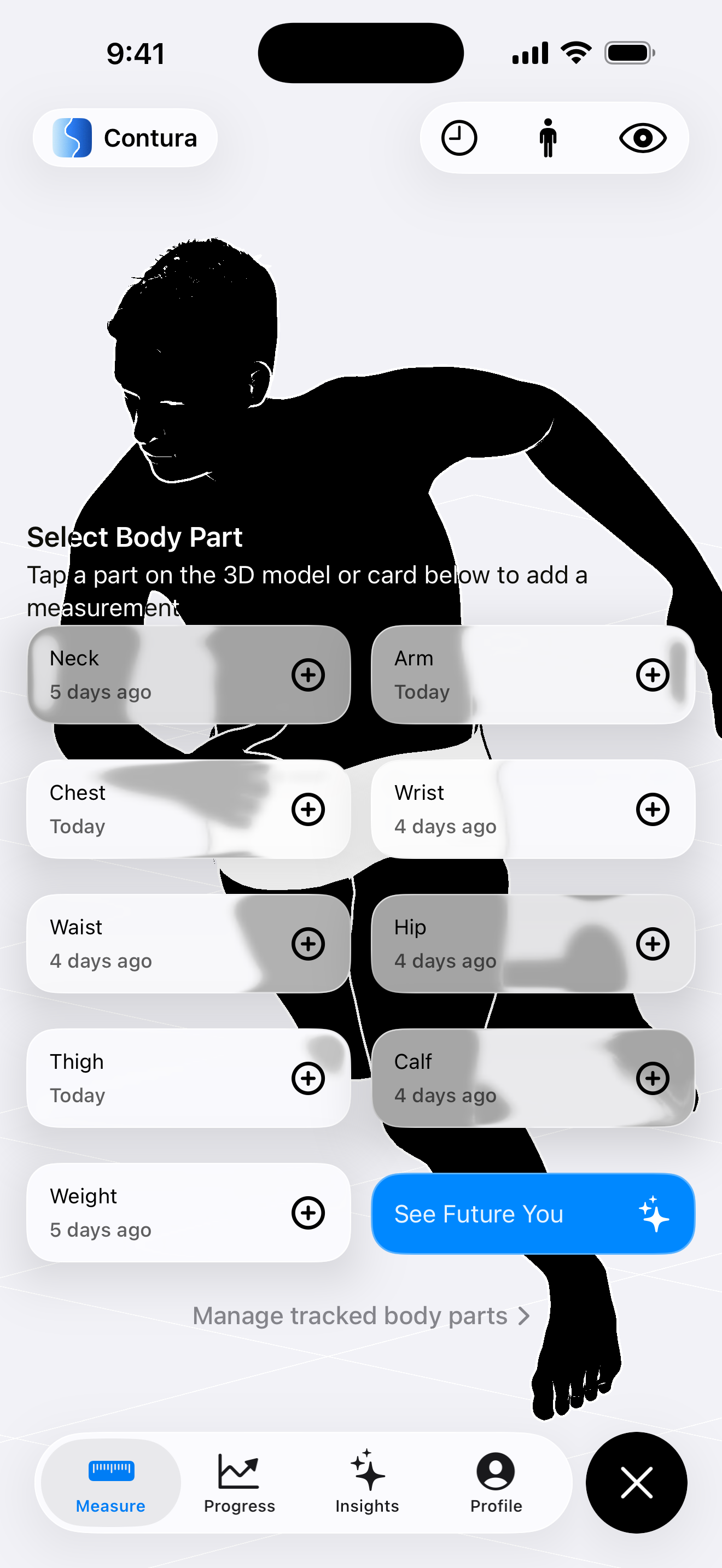
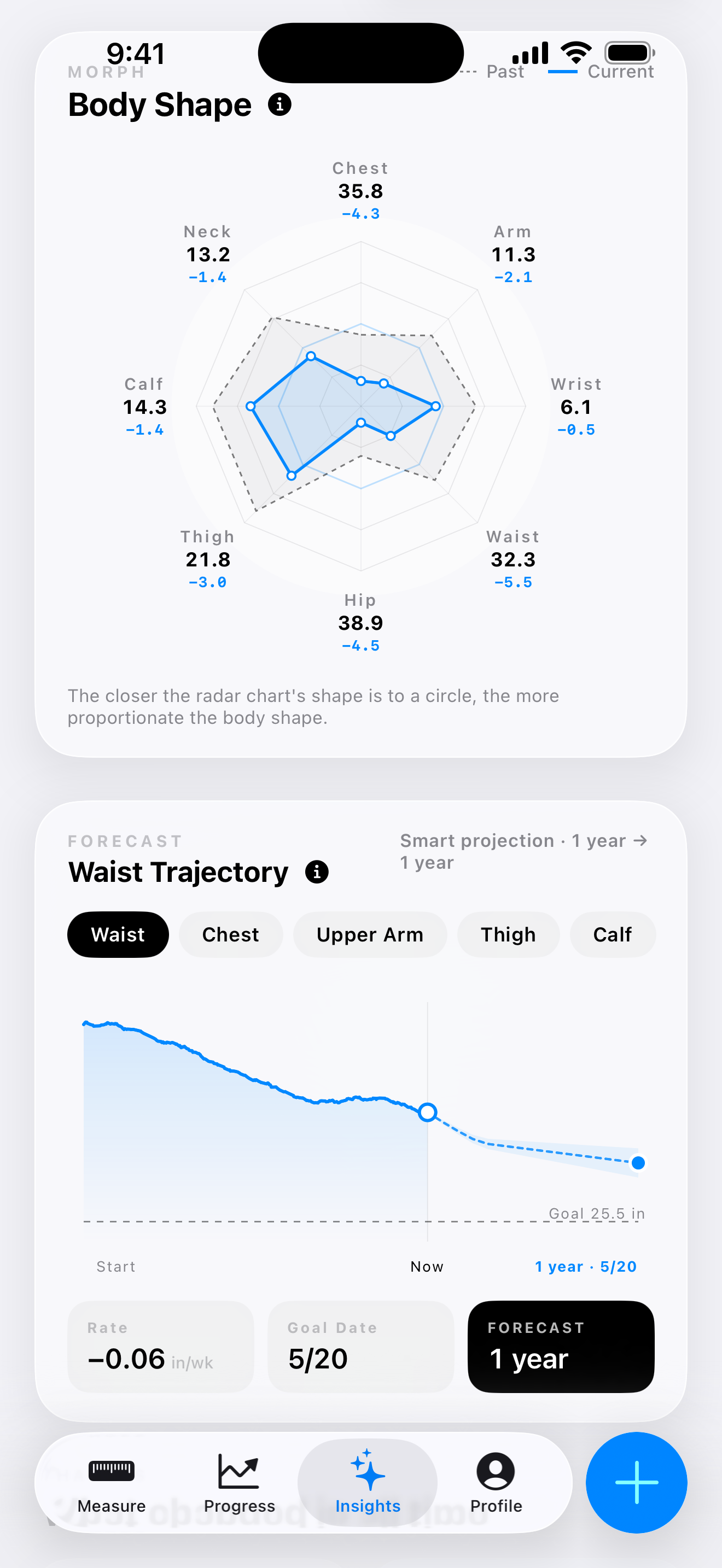
Instead of turning the phone camera into a body scanner, Contura lets you enter height, weight, and circumference measurements, then generates a parametric 3D body model from that data. The model updates as your measurements change, and you can rotate it to inspect different views.
The app is designed around a timeline rather than a single avatar. You can revisit earlier body states, compare two moments, and see how measurement deltas correspond to visible changes. Contura also provides red and blue comparison overlays to show where volume increased or decreased between two selected body states.
No progress photos or camera setup are required. Body data stays on-device by default, with optional Apple-managed services such as iCloud sync available when enabled by the user.
The short demo above shows the kind of interaction this approach is designed for: a body model on a phone, with measurements and history framed as one visual experience.
For more detail about privacy and the measurement-based model, see the Contura homepage and Privacy Policy.
How to Use a 3D Body Visualizer Well
The quality of a comparison depends on the consistency of the measurements behind it.
Start by choosing landmarks that you can find again later. If the tape is placed in a different position each time, the model may show a change that comes partly from the measurement method rather than from the body itself.
It also helps to record more than one measurement. Weight provides broad context, while circumferences add information about individual proportions. You do not need to measure everything every day. A repeatable schedule that fits the body part and your routine is more useful than constant checking.
When you compare snapshots, look for patterns rather than dramatic daily movement. A model is most valuable when it helps you understand change across meaningful periods of time.
Finally, keep measured, estimated, and simulated states separate. Your current recorded measurements are not the same thing as a remembered past body or a projected goal. Clear labels make the visual experience more trustworthy.
What Should You Look for in a Good 3D Body Visualizer?
The first thing to look for is transparency. You should be able to understand which measurements influence the model and which parts are estimated.
The second is repeatability. A visualizer should make it easy to return to earlier body states and compare them using the same frame. Without history, the model is interesting; with history, it becomes a tracking tool.
Privacy is also important. If a tool can provide the experience from measurements, it should not require people to upload sensitive body photos unnecessarily.
Finally, the language matters. A body visualizer should support different goals, including fat loss, muscle gain, recomposition, maintenance, or simply observing change. It should describe what the data shows without implying that smaller, lighter, or lower is automatically better.
Frequently Asked Questions
What is a 3D body visualizer?
A 3D body visualizer is an interactive tool that uses information such as height, weight, and body measurements to create a rotatable 3D representation of body shape. It is usually an estimate rather than a photograph or medical scan.
Is a 3D body visualizer the same as a body scanner?
No. A scanner usually uses photos, sensors, or specialized hardware to capture body information. A measurement-based visualizer can create a model from manually entered measurements without taking a body photo.
How accurate is a 3D body visualizer?
Its usefulness depends on the quality of the model and the consistency of the measurements. It can be useful for understanding relative change and comparing body states, but it should not be treated as a clinical assessment or an exact digital replica.
Can a 3D body visualizer show what I will look like after losing weight?
It can create a goal or future scenario, but no tool can guarantee exactly how a person’s body will look in the future. Future states should be understood as simulations or estimates, not promises.
Do I need to take progress photos?
Not necessarily. Measurement-based tools can create a visual body reference without photos or a camera. This can be useful for people who find progress photos difficult to repeat or too sensitive to store.
What measurements are useful?
Height and weight can provide a starting point. Circumference measurements such as waist, hips, chest, arms, thighs, calves, and neck can add more information about individual proportions. The most important thing is to measure the same areas consistently.
Final Thoughts
A 3D body visualizer can be more than an avatar. It can connect measurements to a shape, make different viewing angles available, and create a consistent way to compare change without relying entirely on a scale or a progress photo.
A useful 3D body visualizer makes that possible while staying honest about its limits. It shows measurement-based visual evidence, protects privacy, and leaves the meaning of “better” to the person using it.
Contura is built around that idea: turn body measurements into a private 3D timeline, then use the timeline to understand change.