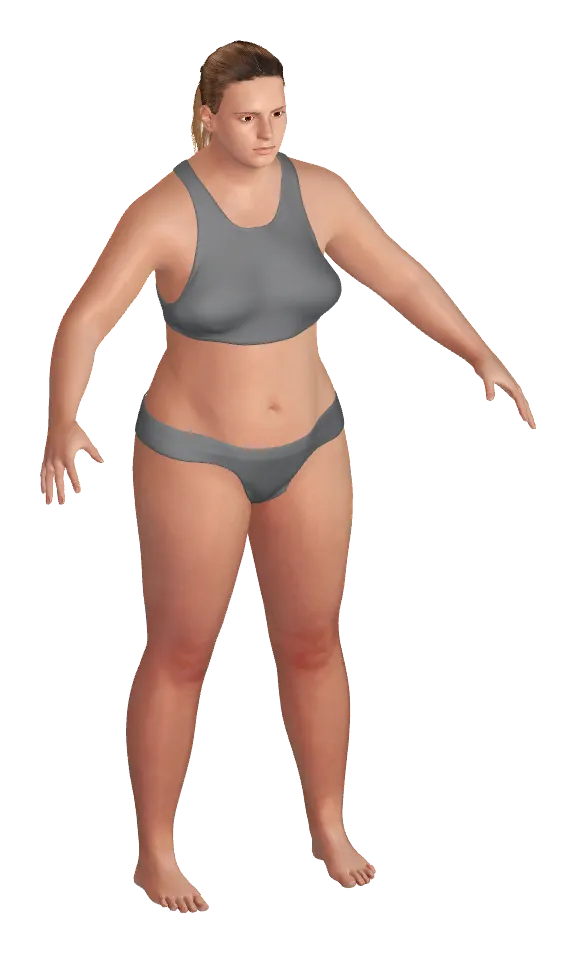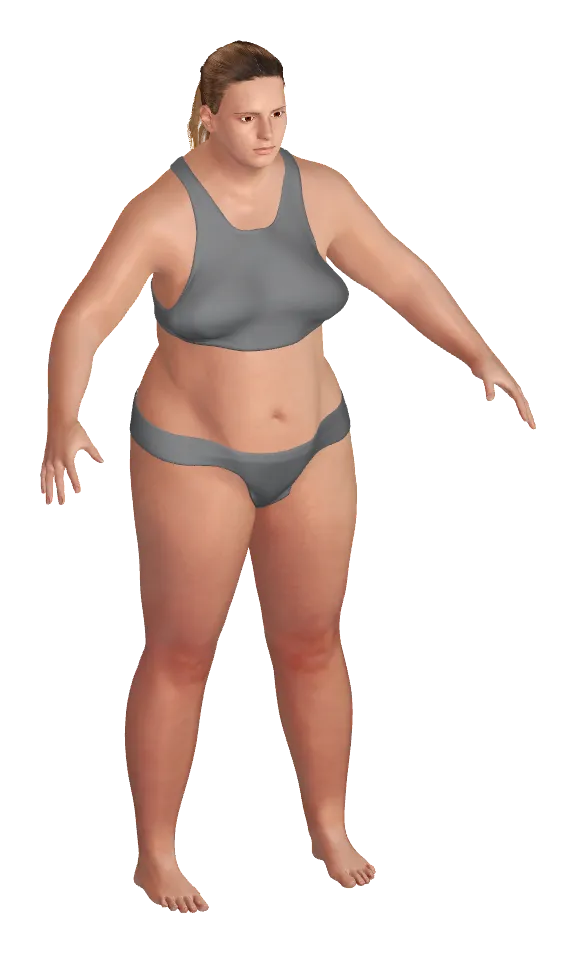

You measure your waist. Now you can watch it change.

A body measurement tracker — waist, hips, chest, and more — built on a 3D figure that reshapes around your real numbers. Log it once a week and see where your body actually moves.

What Contura does

A body measurement tracker with a 3D model that moves with your measurements.

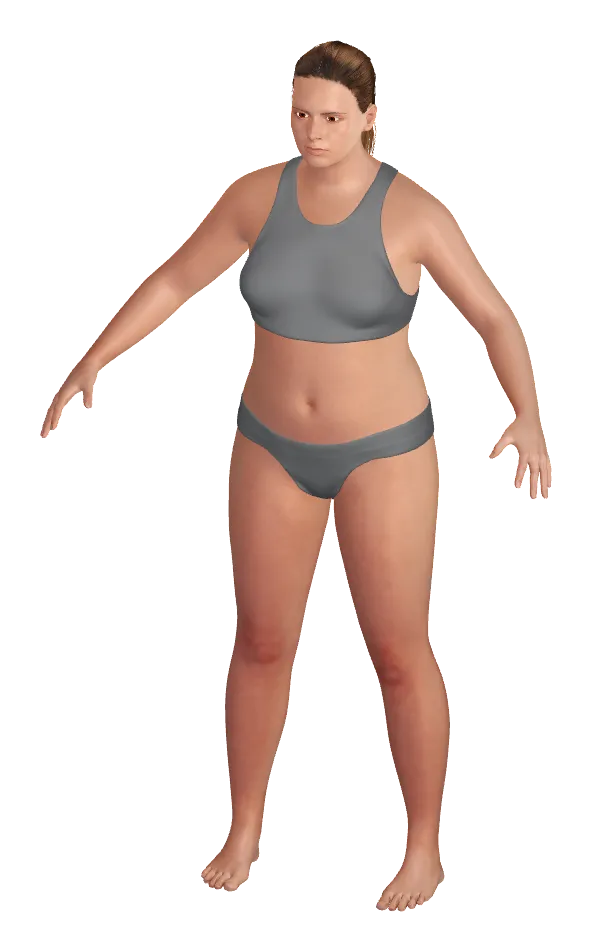
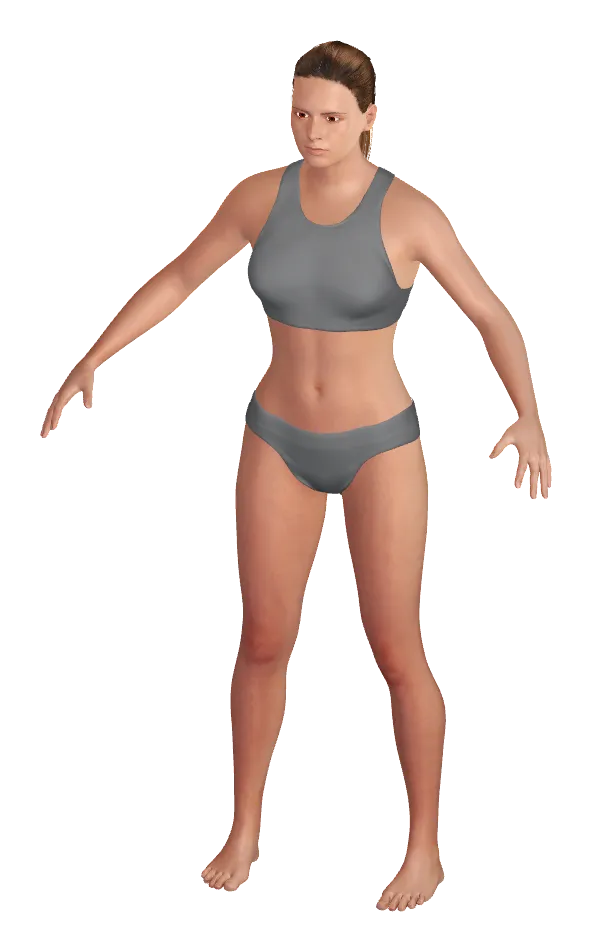
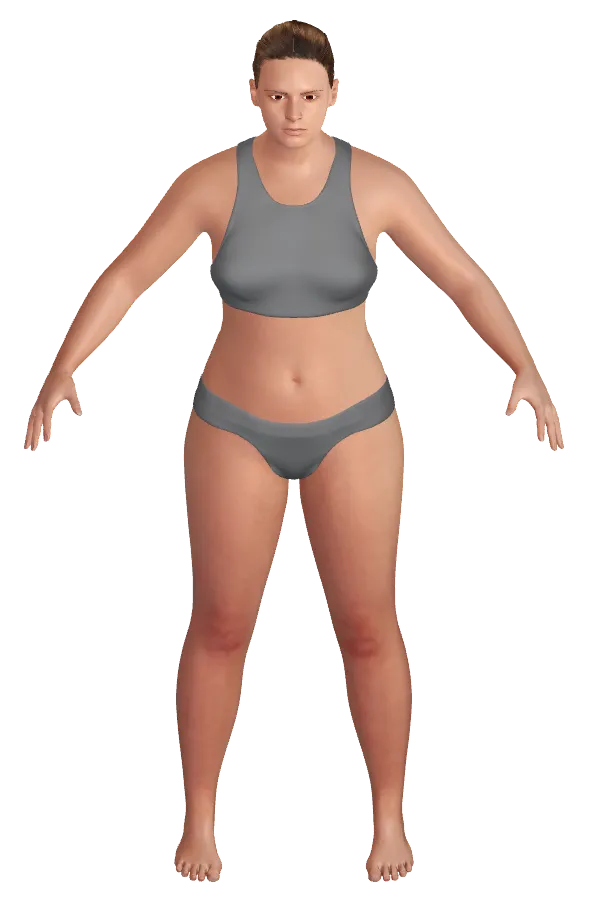
Contura is a body measurement tracking app built around an accurate 3D human body model. When you enter measurements, the model updates in real time — making it intuitive to understand your body shape beyond single numbers. You see your body visually, not just as data in a table.

Built for iPhone and iPad on iOS 18.0+
3D body model that updates in real time as you enter measurements
Record tab: tap body parts, slide to input, 3D model shows measurement positions
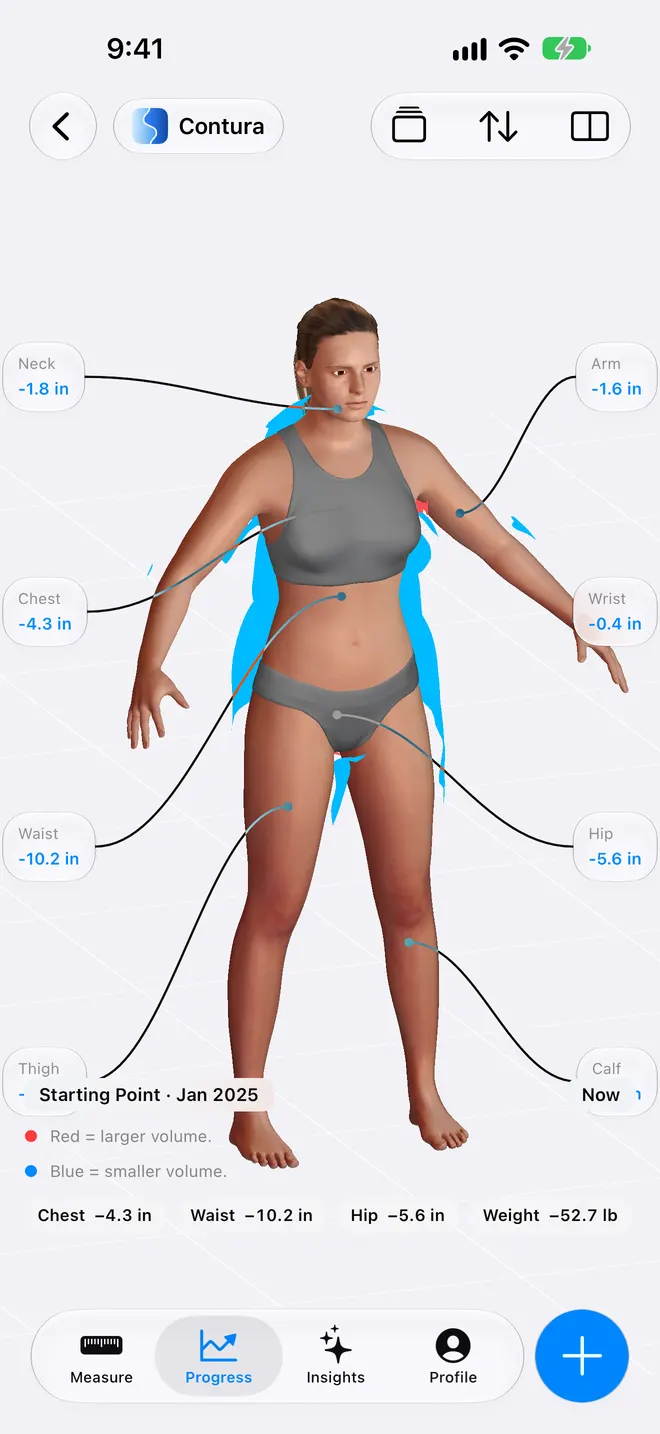
Progress tab: red/blue volume comparison with side-by-side or overlay modes
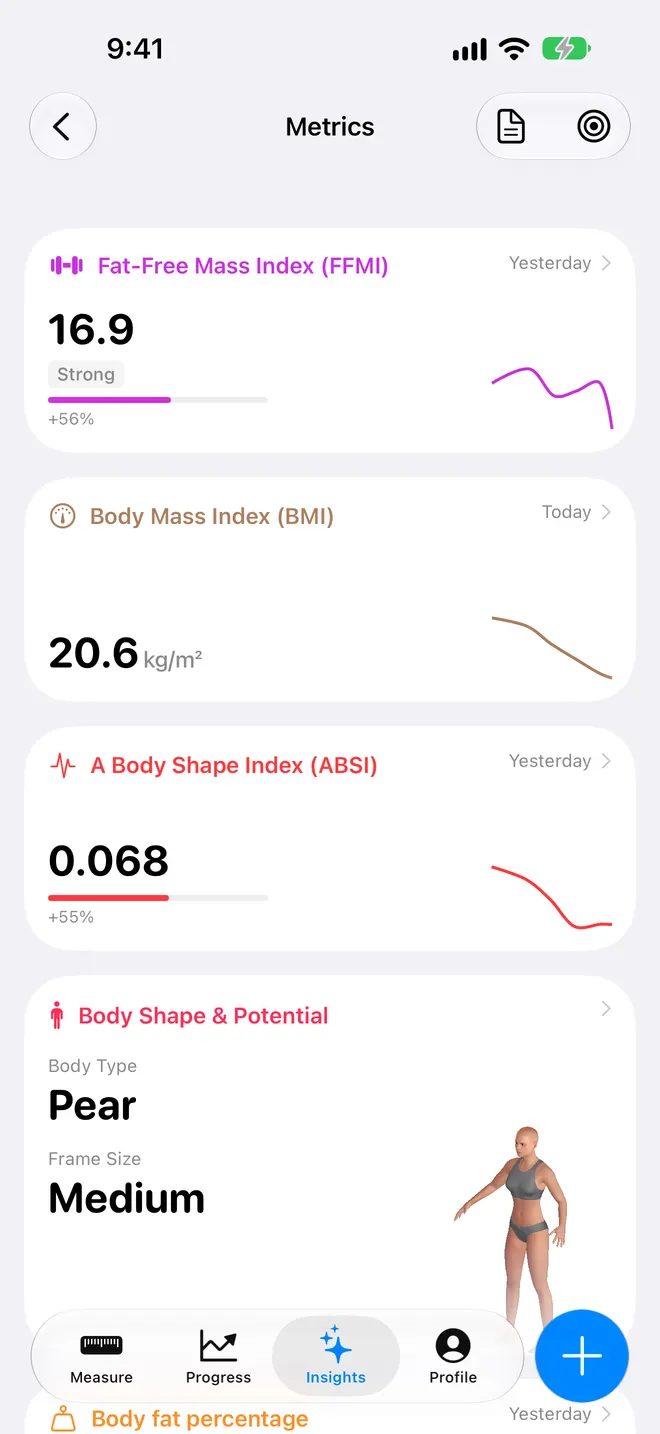
Insights tab: radar chart, trajectory with projections, ratio analysis, 12+ advanced metrics, expert body report
Time slider to view any past body state
No progress photos or camera required
On-device storage by default, with optional iCloud sync

Product facts

What Contura is, in plain terms.

Contura is a body measurement tracking app with a 3D human body model that updates in real time as you log measurements.

Product type
iOS body measurement tracking app with parametric 3D body model
Measure tab
Tap body parts, slide to input measurements, 3D model shows measurement positions and updates live
Progress tab
Red/blue volume overlays comparing any two body states; side-by-side or overlay comparison modes
Insights tab
Normalized radar chart, trajectory graphs with future projections, ratio analysis, 12+ advanced metrics (FFMI, ABSI, etc.), expert-generated body report
Time slider
Scrub to any past date and see that day's body shape
Privacy
No progress photos or camera required, on-device storage by default, optional iCloud sync
Platforms
iPhone and iPad on iOS 18.0+
Pricing
Free download; optional Pro subscription at US$9.99/month or US$49.99/year, or a one-time Lifetime purchase at US$129. Yearly plan includes a 3-day free trial where available. Prices vary by App Store region.

One body timeline

Past, present, and future bodies are easier to understand when they use the same frame.

Body tracking

A 3D body model that updates in real time as you log measurements.

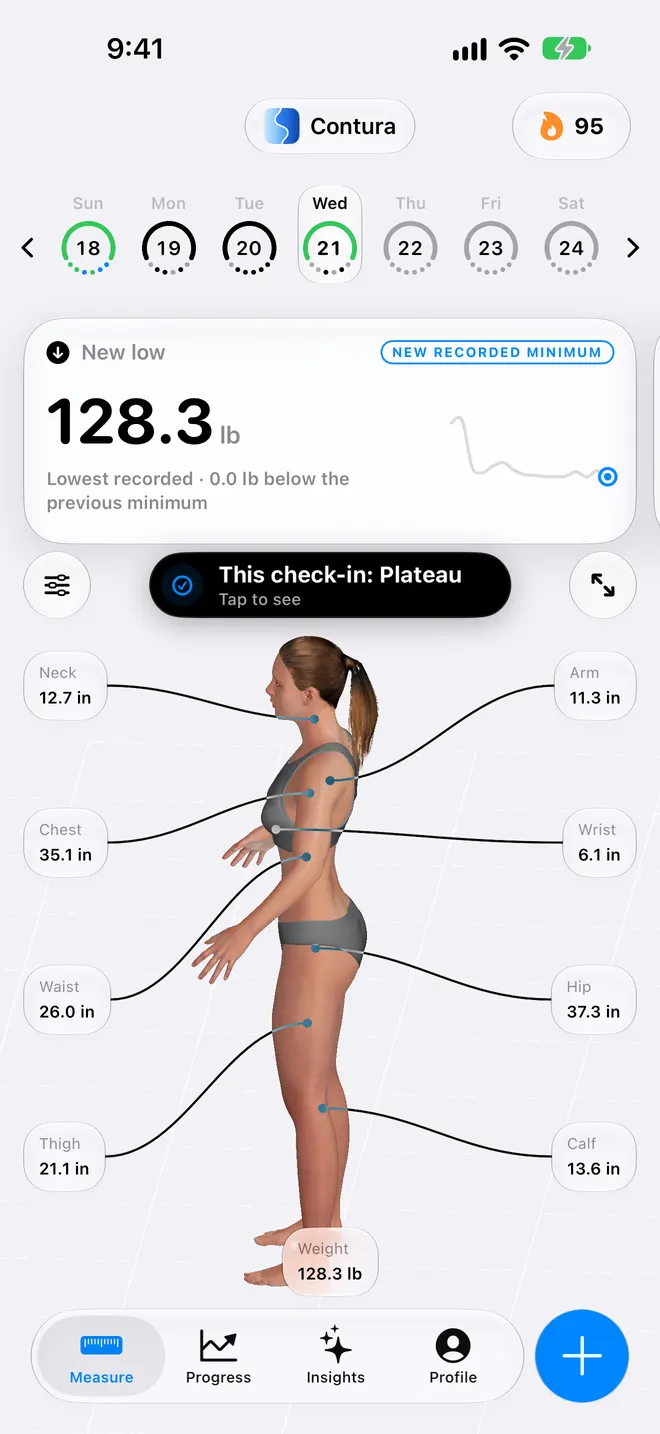
Measure

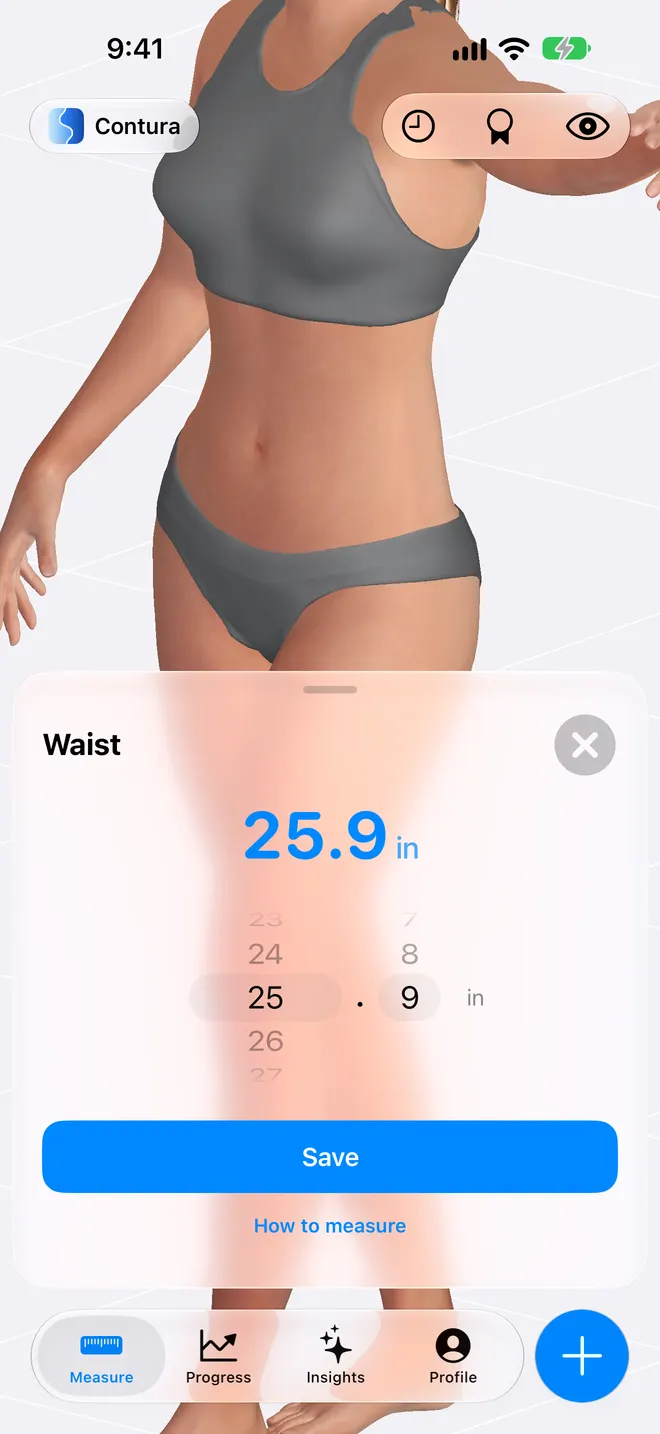
Scroll the ruler to input — the 3D model shows where to measure and updates live.

Progress

Red and blue volume overlays show where your body changed.

Insights

Radar charts, trajectory graphs, and expert body reports.

Chronological body comparison timeline in the Contura iOS app, showing three male 3D silhouette models side-by-side on a perspective grid to compare body shapes across different dates (May 3, 2026, Now, and 6 months later).
One body timeline

Body tracking

Body tracking made visible

Tap a body part, slide to enter your measurement. The 3D body model updates in real time — you see exactly what your body looks like as each number changes. The model is anatomically accurate: it responds to circumference changes in a way that follows real human body proportions.

  • Tap and slide to input measurements — no camera needed
  • 3D model shows measurement positions so you measure the same spot every time
  • Rotate the model to inspect front, side, and back views
iOS body measurement tracking interface in Contura app, displaying a 3D athletic male silhouette in a runner pose overlaid with tappable cards to record circumferences for Neck, Chest, Waist, Thigh, and a See Future You forecasting button.
Tap a body part, slide to enter your measurement. The 3D body model updates in real time — you see exactly what your body looks like as each number changes. The model is anatomically accurate: it responds to circumference changes in a way that follows real human body proportions.

Measure

Just scroll

Tap any body part, scroll the ruler to enter your measurement. The 3D model highlights exactly where to measure — rotate it to see the position from any angle so you hit the same spot every time. As you adjust each value, the body updates in real time, growing or shrinking naturally according to real human anatomy.

  • Scroll the ruler to input — fast, precise, no camera
  • 3D model shows measurement landmarks so you repeat the same spot
  • Model updates live as each measurement changes
Waist circumference input screen in Contura iOS app, featuring a female silhouette with an orange dotted measurement ring around the waist and an open scrollable ruler picker adjusted to 32.3 inches above a blue Save button.
Tap any body part, scroll the ruler to enter your measurement. The 3D model highlights exactly where to measure — rotate it to see the position from any angle so you hit the same spot every time. As you adjust each value, the body updates in real time, growing or shrinking naturally according to real human anatomy.

Insights

Track progress

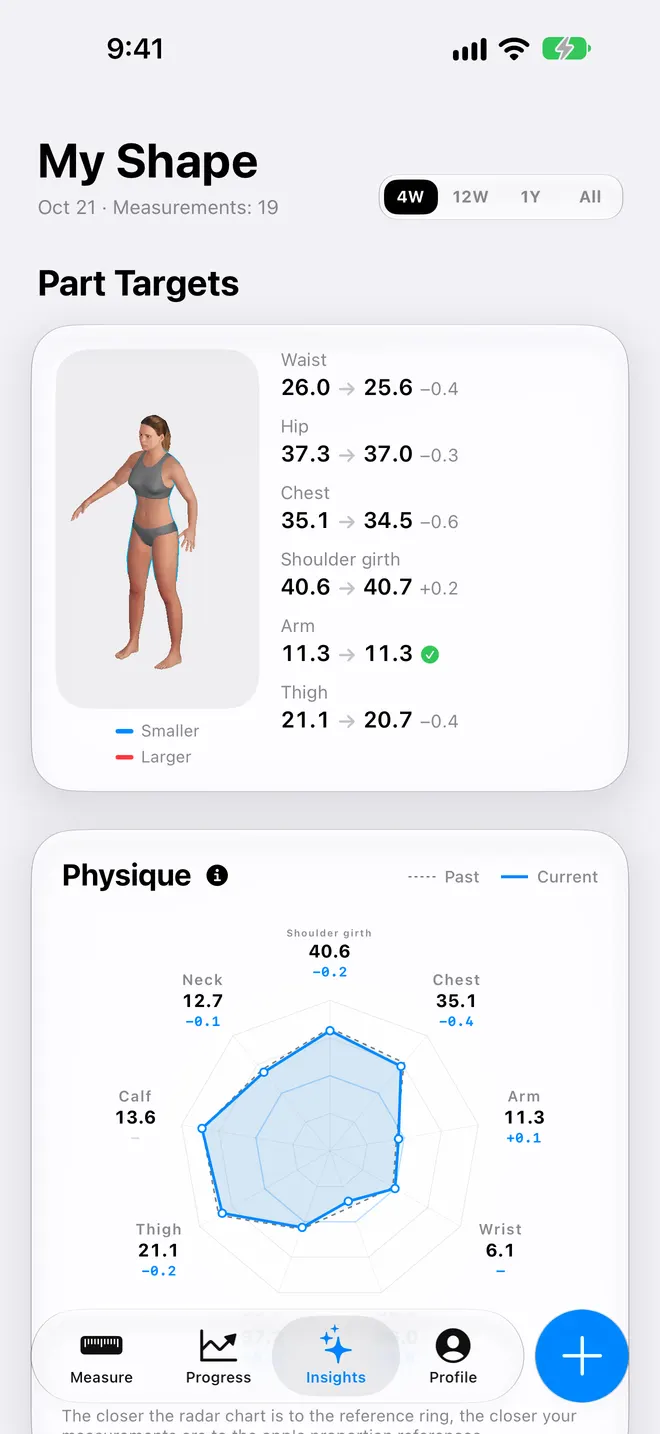
A normalized radar chart shows all your body dimensions at once — the closer to a circle, the more balanced your proportions. Overlay past data to see whether your shape is moving toward balance or becoming more extreme. Scroll down for trajectory graphs with future projections shown as fan-shaped confidence zones, ratio analysis, 12+ advanced metrics (FFMI, ABSI, etc.), and a detailed expert body report in plain language you can share.

  • Normalized radar chart shows proportional balance
  • Trajectory graphs with future projections and confidence zones
  • 12+ advanced metrics and expert body report
Contura iOS app Insights dashboard showing a Body Shape radar chart comparing past and current body proportions, alongside a Waist Trajectory forecast chart projecting fat loss progress over a 1-year timeline with fan-shaped confidence zones.
A normalized radar chart shows all your body dimensions at once — the closer to a circle, the more balanced your proportions. Overlay past data to see whether your shape is moving toward balance or becoming more extreme. Scroll down for trajectory graphs with future projections shown as fan-shaped confidence zones, ratio analysis, 12+ advanced metrics (FFMI, ABSI, etc.), and a detailed expert body report in plain language you can share.

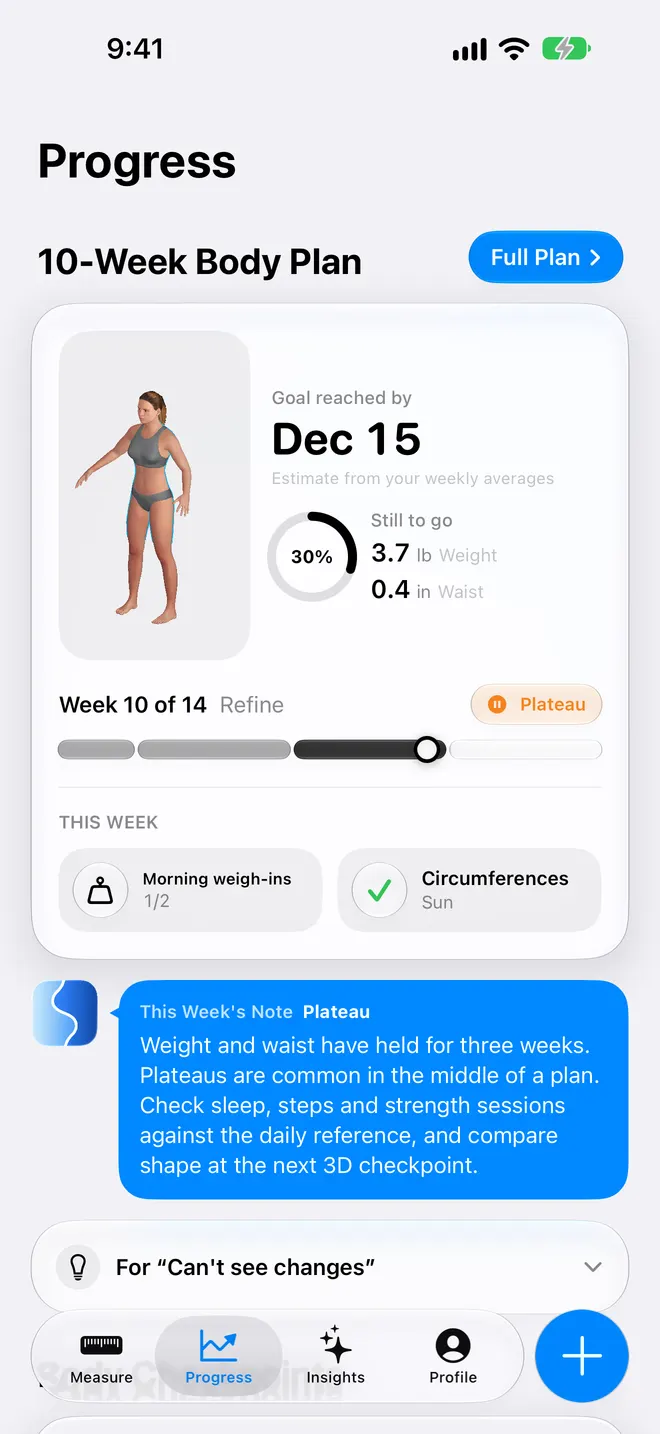
Progress

Watch the change

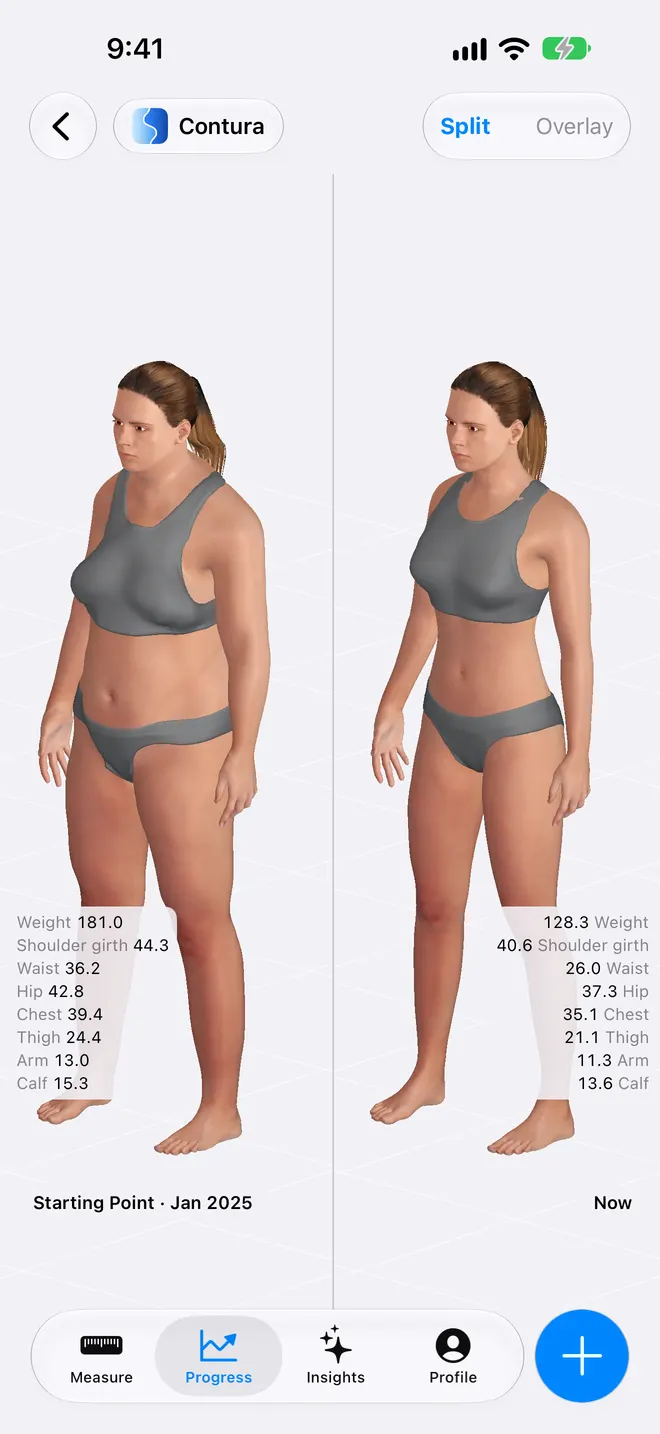
Red and blue volume overlays show exactly where your body changed between any two moments. Red means volume increased, blue means volume decreased. Compare your first day to today, or pick any two dates — side-by-side or overlay mode.

  • Red and blue volume overlays make changes obvious at a glance
  • Compare any two dates — default is day one to today
  • Side-by-side or overlay comparison modes
Side-by-side body shape comparison in Contura app, showing a female side-profile silhouette with blue volume-lost overlays highlighting a waist reduction of 5.5 inches, hip reduction of 4.5 inches, and thigh reduction of 3.0 inches compared to a starting point.
Red and blue volume overlays show exactly where your body changed between any two moments. Red means volume increased, blue means volume decreased. Compare your first day to today, or pick any two dates — side-by-side or overlay mode.

How it works

A repeatable path from measurements to 3D comparison.

01

Enter measurements

Add height, weight, and the circumferences you can measure consistently.

02

Generate a 3D body

Contura creates and renders a body model from those measurements on-device.

03

Keep a timeline

Store past, current, and projected body moments in one comparable format.

04

Compare changes

Use red and blue volume overlays plus measurement deltas to see what changed.

Why it is different

Built for the parts of progress tracking that photos make difficult.

Compared with progress photos

Photos change with pose, distance, lens, lighting, clothes, and confidence on that day. Measurements are easier to repeat, and the 3D model gives them a consistent shape to live on.

Compared with weight apps

Weight can move slowly while waist, hip, thigh, chest, or arm measurements change. Contura keeps those circumference changes visible instead of reducing progress to one number.

Compared with smart scales

Smart scales can be useful inputs, but the numbers still need interpretation. Contura turns supported data and manual measurements into a body timeline you can inspect.

Best for

Real situations where a photo is not enough.

Weight loss without progress photos

For users who want to understand waist, hip, thigh, chest, or back changes without saving sensitive body photos.

Body recomposition

For users whose scale weight changes slowly while circumference and shape change through fat loss, muscle gain, training, or recovery.

Smart scale companion

For InBody, Renpho, Withings, Omron, Eufy, Arboleaf, Vesync, Apple Health, or manual logs that need a visual layer instead of another table of numbers.

Long-term transformation history

For users who want to compare last week, last year, their starting point, and a future projection without depending on matching camera angles.

Science and safety

Models are useful when their limits are clear.

Privacy

No body photos are needed, because the app works from measurements.

That matters: body photos can feel sensitive, and they are often the least repeatable part of tracking progress. Contura avoids them by using height, weight, and circumference measurements instead.

Your body data stays on your device by default. No account is required, and Contura does not run backend servers for your measurements. iCloud sync and Apple Health are optional.

Read the full Privacy Policy

Metrics and smart scales

Give your existing numbers a body-shaped context.

If you already track weight, waist, body fat estimates, or other metrics, Contura helps you see how those numbers relate to shape. Manual circumference measurements remain the clearest way to make the 3D comparison more personal.

BMIBFPFFMIWHRWHtRBMRRFMABSIAdonis IndexConicity IndexMetabolic AgeSomatotype

Pricing

Free to start, optional Pro when the timeline becomes useful.

Free download

Start body measurement tracking and 3D body visualization without creating an account or taking a photo.

Monthly Pro

US$9.99/month. Useful when you want to try deeper timeline, comparison, and projection features month by month.

Yearly Pro

US$49.99/year. Includes a 3-day free trial where available and costs less per month than monthly billing.

Lifetime

US$129. One-time purchase, all Pro features, no recurring billing.

Download Contura

Start with one set of measurements.

Free download for iPhone and iPad on iOS 18.0+. You can begin without an account, a camera setup, or a progress photo.

Download on the App Store

FAQ

Practical questions about tracking body change this way.

What is Contura?

Contura is an iOS body tracking app that creates a parametric 3D body model from height, weight, and circumference measurements. It is meant for people who want to compare body shape over time without relying on progress photos.

Why not just use progress photos?

Progress photos are hard to repeat. Pose, distance, angle, lens, lighting, clothes, and posture can all change, and most people cannot easily photograph their own back. Contura uses measurements instead, then shows change on a consistent 3D body model.

What does the red and blue comparison show?

Compare lets you choose any two body moments across past, present, and future. Red means the later body has more volume in that area. Blue means it has less volume. Circumference deltas keep the visual change tied to specific measurements.

Do I need to upload a body photo?

No. Contura does not require body photos, camera scans, controlled lighting, or cloud image processing. You enter measurements manually or optionally import supported Apple Health data.

How accurate is the 3D body model?

Contura maps your measurements onto a parametric 3D body model, so it is a measurement-based model rather than a scan or photograph. Height and weight can create a starting estimate; adding waist, hip, chest or bust, arm, thigh, calf, neck, and wrist measurements improves the match.

Can Contura show changes in my back or side view?

Yes. Because the body is a 3D model, you can rotate it and inspect views that are awkward to capture in normal photos, including side and back changes. The model is still based on the measurements you provide.

What is Past Me?

Past Me estimates a past version of your body from a short questionnaire, remembered body signals, and historical Contura data when available. It is designed for moments when you do not have a reliable before photo.

What is Future Me?

Future Me is a projection, not a guarantee. It estimates a plausible future body shape from your goals, measurement history, and trend quality, with horizons such as 1, 3, 6, or 12 months.

Can I use Contura without a measuring tape?

Yes. Contura can start from height and weight, and Apple Health can optionally import supported weight and waist data. A tape measure is recommended when you want the 3D model and red/blue comparisons to reflect your body more closely.

How is Contura different from MyFitnessPal or Happy Scale?

MyFitnessPal tracks food and calories. Happy Scale tracks weight trends. Contura focuses on body shape: circumference changes, 3D viewing, red and blue comparison overlays, Past Me reconstruction, and Future Me projection.

How is Contura different from MeThreeSixty or ZOZOFIT?

MeThreeSixty and ZOZOFIT are photo-based scanning workflows. Contura is measurement-based: no front photo, no side photo, no camera scan, and no cloud image processing. The 3D body is generated from measurements and rendered on-device.

What measurements and metrics does Contura track?

Contura tracks height, weight, neck, upper arm, wrist, chest or bust, waist, hip, thigh, and calf. It calculates 15+ metrics including BMI, BFP, FFMI, BMR, WHR, WHtR, RFM, ABSI, Adonis Index, conicity index, metabolic age, somatotype, and frame size.

Is my body data private?

Yes. Contura stores body data on your device by default, does not require an account, and does not operate backend servers for measurements. Optional iCloud sync and Apple Health integration are controlled by Apple settings.

Does Contura work without internet?

Yes. Core measurement logging, 3D body viewing, body metrics, and comparisons work on-device. Internet is only needed for optional services such as App Store downloads or Apple-managed sync features.

Does Contura support iPad?

Yes. Contura supports iPhone and iPad on iOS 18.0 or later. The App Store listing and download availability are managed by Apple for each device and region.

Is Contura free and how much is Pro?

Contura is free to download. An optional Contura Pro subscription is available; United States pricing is US$9.99/month or US$49.99/year (with a 3-day free trial), or a one-time Lifetime purchase at US$129. Prices vary by App Store region.