
How to measure your arm, thigh, calf and neck without a tape measure
Wrap a string or charging cable around the part, at right angles to it, snug but not pressing in. Pinch it where the end meets it, lay it straight, and use your iPhone as the ruler. Where it goes:
- Upper arm: arm hanging relaxed, halfway between the tip of the shoulder and the point of the elbow.
- Thigh: at mid-thigh, or just below the buttock crease. Pick one and keep to it.
- Calf: at its widest point.
- Neck: just below the Adam’s apple, head level.
Interactive guide · about 3 minutes
Measure your upper arm with a cable and your iPhone
Follow the steps with the cable in your hand. Nothing you enter leaves this page.
-
Find your upper arm
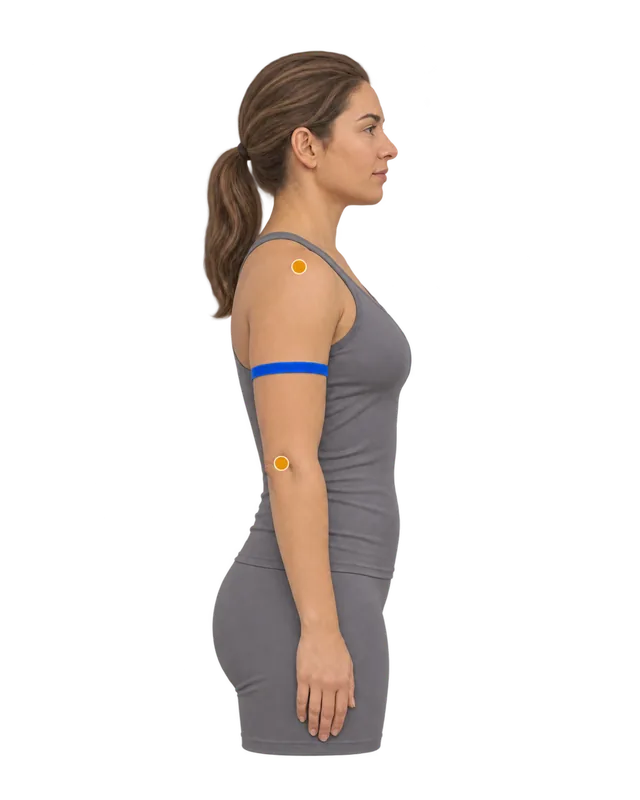
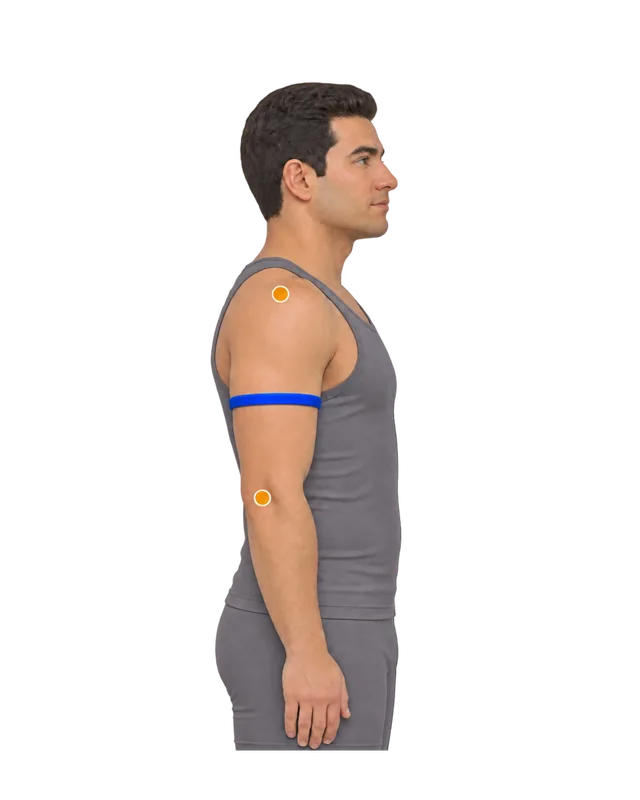
Halfway between the tip of the shoulder and the point of the elbow, arm relaxed. 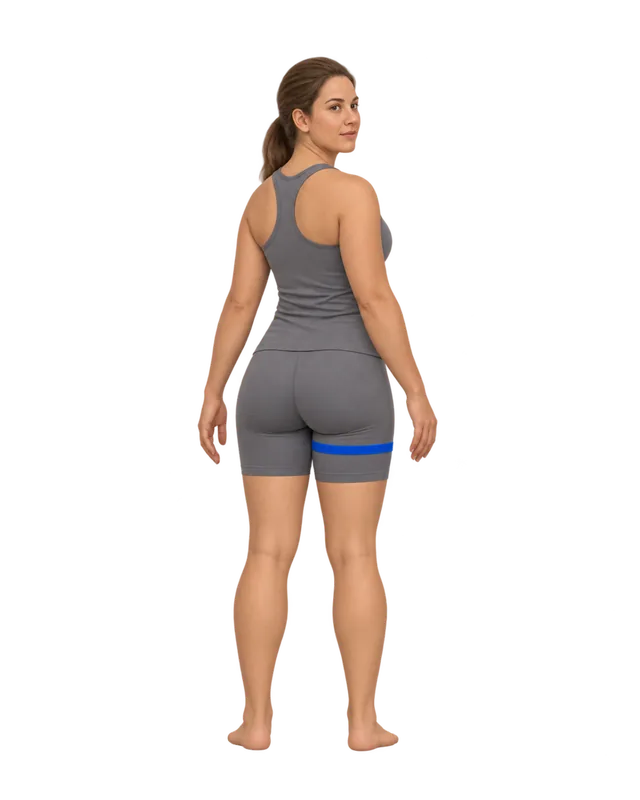
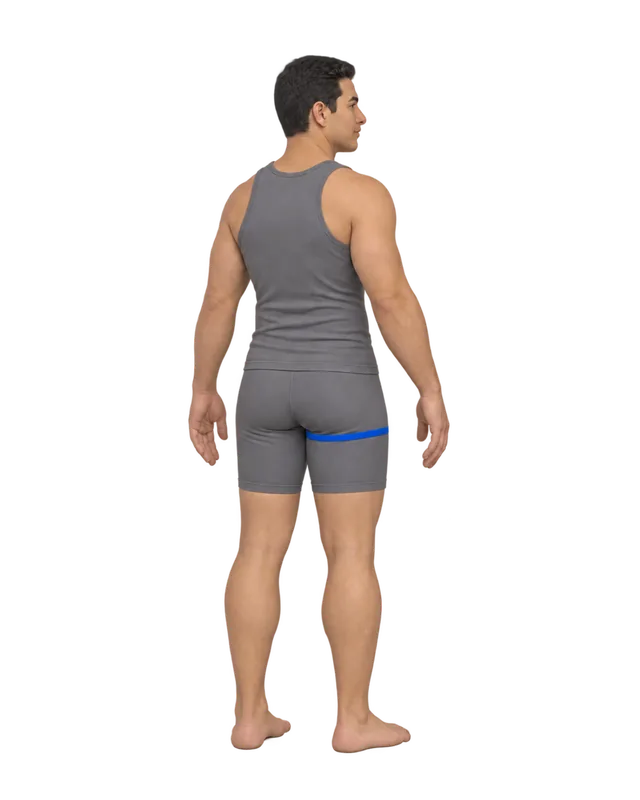
Upper thigh, just below the buttock crease. Mid-thigh, halfway to the knee, also works. 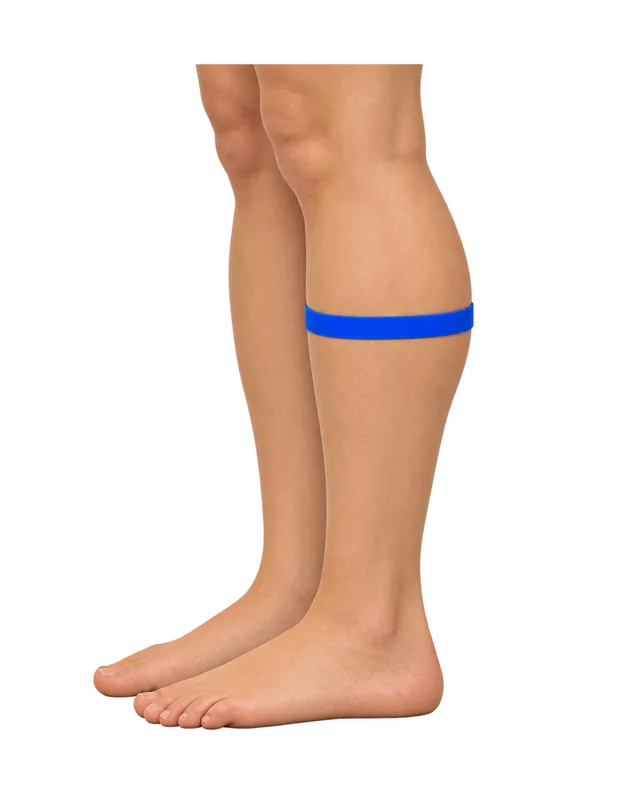
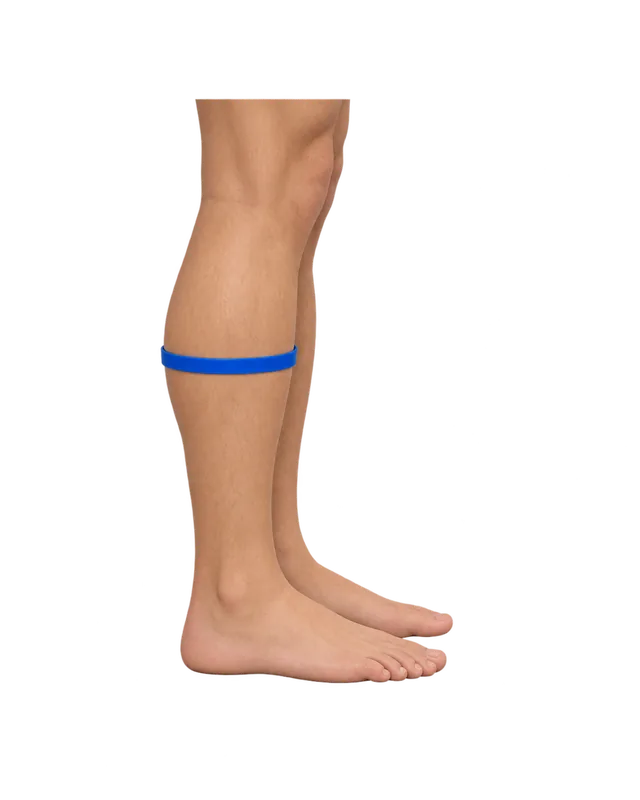
Around the widest part of the calf, standing on both feet. 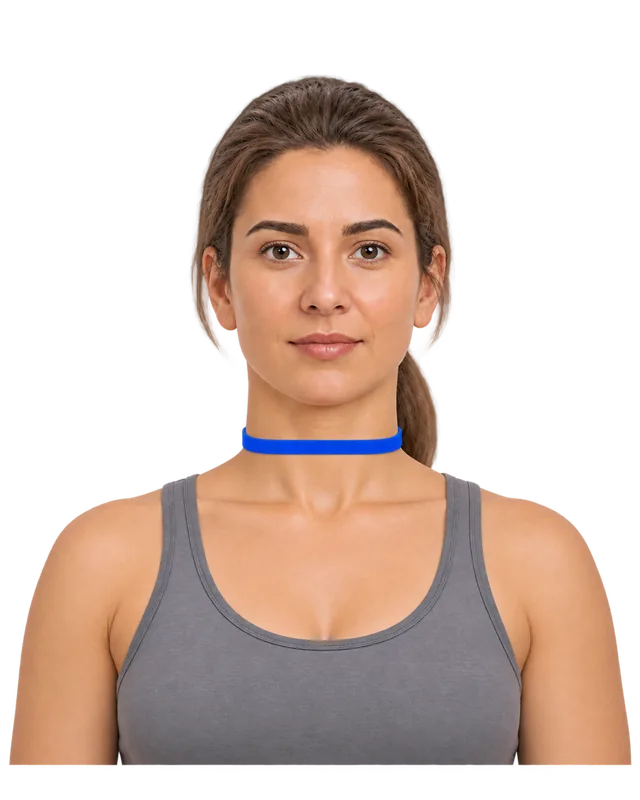
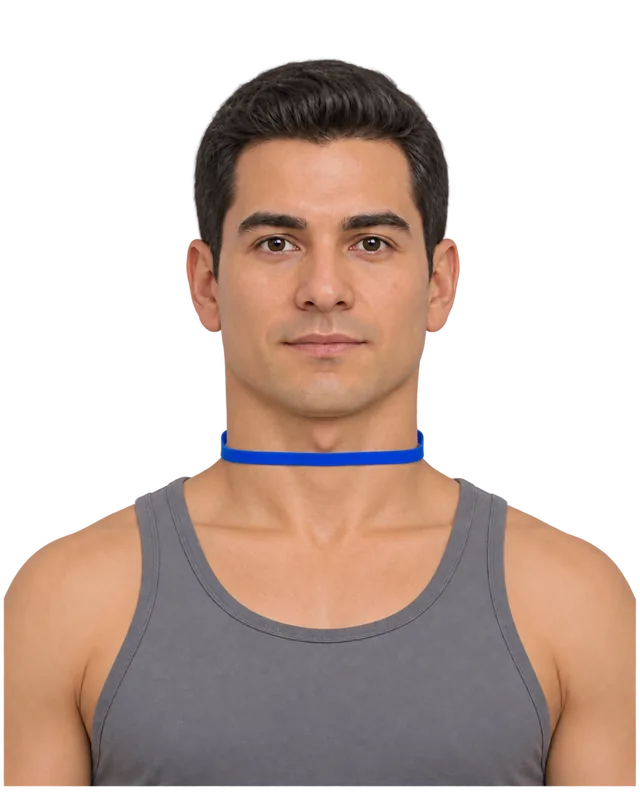
Just below the Adam’s apple, head level, shoulders down. - Let the arm hang loose. Don’t flex.
- Find the halfway point: bend the elbow to 90° and mark midway between the bony tip of your shoulder and the point of your elbow. Then let the arm hang again.
- Same arm every time. NHANES uses the right one.
- Stand with your weight on both legs, feet a little apart so your thighs don’t touch.
- Choose your spot: just below the buttock crease, or mid-thigh, halfway between the top-of-leg crease and the kneecap.
- Same leg, same spot every time.
- Stand on both feet with your weight even.
- Slide the string up and down until it is at its longest: that is the widest point.
- Same leg every time. NHANES uses the right one.
- Look straight ahead, shoulders down, not hunched.
- Just below the Adam’s apple. Feel for the slight dip under it.
- It may slope down a little at the front. Keep it at right angles to your neck, not to the floor.
-
Wrap, pinch, lay it straight
- Use something that doesn’t stretch: your charging cable, a shoelace or string. Not yarn or elastic.
- Breathe out normally, then wrap it once around, level with the floor and snug on the skin.
- Pinch where the end meets it, mark that point with a pen or a bit of tape, and lay it straight along a table edge.
- At right angles to the limb, not tilted. On an arm or leg, a slanted string reads long.
- Just touching the skin. These are small measurements, so a tight string takes off a big share.
- Relaxed muscles. A flexed arm or calf reads higher, and by a different amount each time.
-
What will you use as the ruler?
Looks like you’re on one of these:
Not sure which iPhone? Settings › General › About › Model Name. Take the case off: it adds a few millimetres to every step.
-
Step it along the cable
Put the bottom edge at the end of the cable, mark where the top edge lands, move up to the mark, repeat. Count every full length before your mark.
full lengths -
Measure the last bit
Your iPhone’s screen becomes a true-size ruler. Lay the phone flat, put your mark on the start line, and slide the line to the end of the cable. Accurate to about a millimetre.
Hold the cable against your phone and drag the blue line to where the cable ends.
0 cm past the last full length -
Your upper arm
Choose your ruler and set the number of lengths you counted to see your number.
0
See it on a 3D body
More measurements App only
What you can measure. All on one body.
- Weight
- Neck
- Chest
- Waist
- Thigh
- Shoulder girth
- Arm
- Wrist
- Hip
- Calf
Left and right · Your own spots
The web version can’t do this
This page can only shape the body from your height, weight and waist. In the Contura app, your hips, chest, thighs, arms and more shape your 3D body too. You can turn it any way you like and put two dates side by side to see exactly what changed.
Download on the App StoreFree for iPhone and iPad. No photos needed.
Add your height and weight to see a body with your measurements. Keep this number, and see what it does next
One measurement tells you where you are. In Contura you save it in two taps, add the rest when you like, and your 3D body updates with every entry, so next month you can see exactly what changed. No photos, no account.
Download on the App Store
What you can measure. All on one body.
- Weight
- Neck
- Chest
- Waist
- Thigh
- Shoulder girth
- Arm
- Wrist
- Hip
- Calf
Left and right · Your own spots
Turn it any way you like, in the app
In Contura this body is yours: drag to turn it, pinch to zoom. Save this upper arm today, measure again in a week or a month, and see the two bodies side by side, red where you gained and blue where you lost.
Download on the App StoreFree on iPhone. No photos, no account.
Lay a bank or ID card upright on the dashed outline, top edge on the blue line. Its sides should sit on the dashed lines. If not:
Short measurements need care
An upper arm is often only two phone lengths around, a neck two and a half. That makes the last bit a large part of the number, so measure it on the on-screen ruler rather than guessing, and take the reading twice. If the two differ by more than a few millimetres, measure a third time and use the middle one.
Upper thigh or mid-thigh?
The US NHANES survey measures the thigh at mid-thigh: halfway between the crease at the top of the leg and the kneecap, with the tape at right angles to the thigh. Many people tracking their training use the upper thigh instead, just below the buttock crease, where the leg is widest and the spot is easy to find again. Either gives a number you can compare with itself. Just don’t switch between them.
Neck for shirts
The neck measurement here is the body measurement: just below the Adam’s apple, at right angles to the neck, with the string only just touching the skin. That position comes from the Framingham Heart Study protocol, as published in the PhenX Toolkit. Shirt collar sizes are usually a little bigger than the neck itself, and brands add different amounts, so look up your number in the brand’s own chart.
No iPhone to hand?
A bank card (8.56 cm) is a good fit for these: most arms, calves and necks are three to five card lengths. It is in the guide above, along with A4 and Letter paper. Lengths of every iPhone are in the table on the waist page.
Measuring to see change
Arms, thighs and calves are where muscle gain shows, and where muscle loss shows when you are losing weight. Measure them with your waist and hips every two to four weeks, same side, same spot, same time of day.
Questions people ask
How do I measure my arm without a measuring tape?
Let your right arm hang relaxed and wrap a string or charging cable around it halfway between the tip of your shoulder and the point of your elbow, at right angles to the arm. Pinch it where the end meets it, lay it straight, and read it with your iPhone as the ruler. An arm is short, so it is usually two phone lengths and a bit.
Where do you measure thigh circumference?
Two places are common. Health surveys such as the US NHANES measure at mid-thigh, halfway between the crease at the top of the leg and the kneecap. Fitness tracking and clothing often use the upper thigh, just below the buttock crease, where it is widest. Either works if you always use the same one.
Should I measure my arm flexed or relaxed?
Relaxed, hanging by your side. That is how the US NHANES survey measures it, and flexing changes the number from day to day. If you want to follow a flexed number too, record it separately and keep the two apart.
Where do I measure my neck?
Just below the Adam’s apple (the larynx), with the string at right angles to your neck and your head level. The string may slope a little down at the front: that is expected. For shirt collars, many brands add some room, so check the brand’s size chart.
Left or right side?
Pick one side and keep to it. The NHANES survey uses the right arm and right calf. Your two sides are rarely identical, so switching sides can look like a change that did not happen.
Your body in 3D
Arms and legs change too
Add your height, weight and waist to see the closest body from Contura’s 3D model. In the app your arms, thighs and calves go in as well, so you can see where you changed, not just whether.
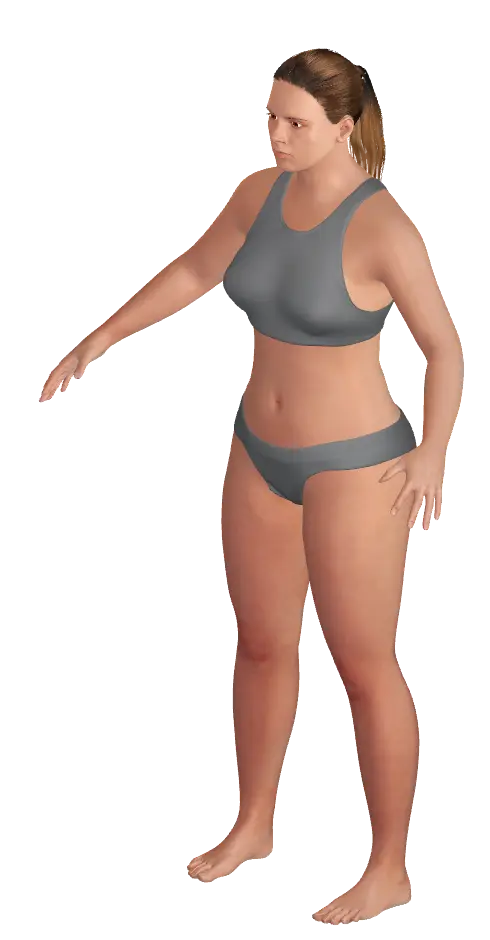
This preview is an estimate from a parametric 3D body model. It is not a body scan or a medical assessment.
What you can measure. All on one body.
- Weight
- Neck
- Chest
- Waist
- Thigh
- Shoulder girth
- Arm
- Wrist
- Hip
- Calf
Left and right · Your own spots
Turn it around in the app
In Contura this body turns any way you like. Log your measurements each week and it changes with you, so you can put any two dates side by side.
Download ConturaSources
- NHANES Anthropometry Procedures Manual, sections 3.4.6–3.4.7 (upper arm length and arm circumference) CDC National Center for Health Statistics, 2021
- NHANES Anthropometry and Physical Activity Monitor Procedures Manual, sections 3.3.1.4 and 3.3.1.8 (calf and thigh circumference) CDC National Center for Health Statistics, January 2005
- PhenX Toolkit protocol 021201: Neck circumference (from the Framingham Heart Study) PhenX Toolkit (NIH-funded), archived protocol, now marked retired in the Anthropometrics domain
- iPhone Tech Specs (one page per model, Size and Weight section) Apple Support, iPhone 11 to iPhone 18 Pro Max and iPhone Duo (checked 16 November 2026)